

Your training, in Claude
Ask your training data anything
Works in Claude · ChatGPT · any MCP assistant

 © Mapbox © OpenStreetMap
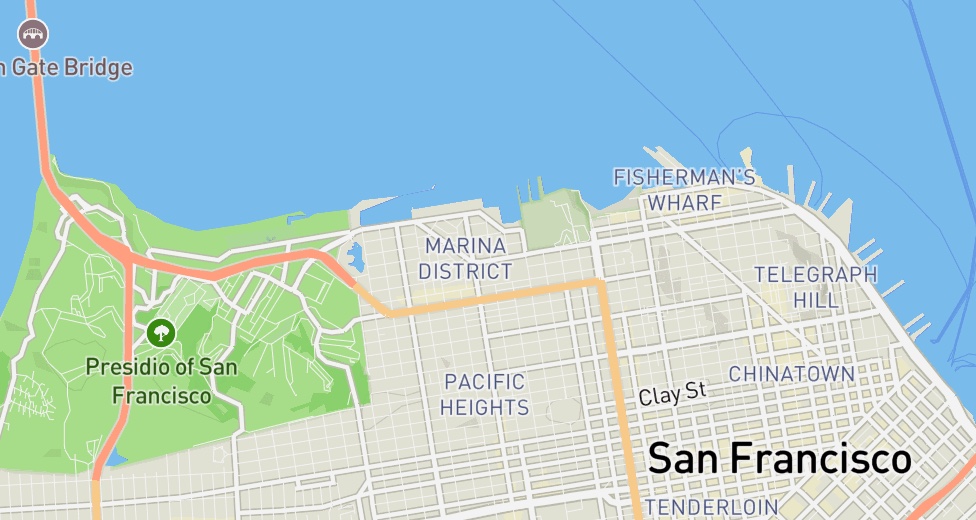
Strong. Every mile faster than the last, 8:10 down to 7:30, at an average 154 bpm. That’s marathon fitness, not a grind.
 Garmin


 Apple Health
 Strava history



Data sources
Everything Claude can see
-
Garmin
Live syncWorkouts and GPS, power and cadence, sleep, HRV and resting heart rate. Courses go back to the watch. Sign in to Garmin once so your assistant can read any of it.
-
Wahoo
Live syncRides and runs with GPS, heart rate, power and cadence, as they finish.
-
Apple Health
Live syncWorkouts from any iPhone app, with heart rate, pace and running power. Connects from the Kailo iOS app.
-
Strava
History importEvery past run, race and PR, from one archive import. Request your archive from Strava
-

Google Sheets
Your sheetLifting logs, nutrition, your coach’s plan. Claude reads and writes.
Real conversations
The questions worth asking
Slept 5 hours, 50 miles on the week already. Still do my 20-miler tomorrow?
Back off. You’re three hours short on sleep and resting HR is up 6 bpm on your baseline. Push the 20 to Sunday and run 6 easy tomorrow.
Build & navigate
Ask for it. It shows up.
Workouts from chat
The whole toolkit, inside Claude
Routes from chat
Drawn in chat, on your wrist

Setup guide
Set up in 2 minutes
Customize → Connectors → Add custom connector → paste the URL → Connect. Desktop web only.
Settings → Apps → Advanced settings → Developer mode → Create app → paste the URL. Then enable Kailo from the + menu in chat. Watch the walkthrough
Add a remote MCP server with the URL, then sign in with Kailo when it asks.
Garmin data in your assistant needs a one-time Garmin sign-in Watch the 2-minute walkthrough
Ready when you are
Three ways to start asking
Stop guessing. Start asking.
From Monday, October 19, reading your data through the connector needs Kailo Lite or Pro. Building routes and workouts and sending them to your watch stays free. We'll revisit this on February 1, 2027.
Start free
Free · no card needed
Connect the MCP to Claude, ChatGPT or any MCP assistant and start building.
- check 2-minute setup
- check Routes, workouts and training plans, sent to your watch
- check Reading your data needs Lite or Pro from October 19
Bring your own Claude
$6/month · Kailo Lite
Your training data in the assistant you already use.
- check Everything in Free
- check Activities, streams, sleep, HRV and heart rate in your assistant
- check Daily wellness and race predictions
Everything, with Pro
$10/month · Kailo Pro
Full connector access plus built-in AI chat — no MCP wiring, no LLM account, nothing to configure.
- check Everything in Lite
- check Privacy first — your data stays on our servers
- check Compute engine, dataset exports and Google Sheets
- check Training plans, training status and full trends history